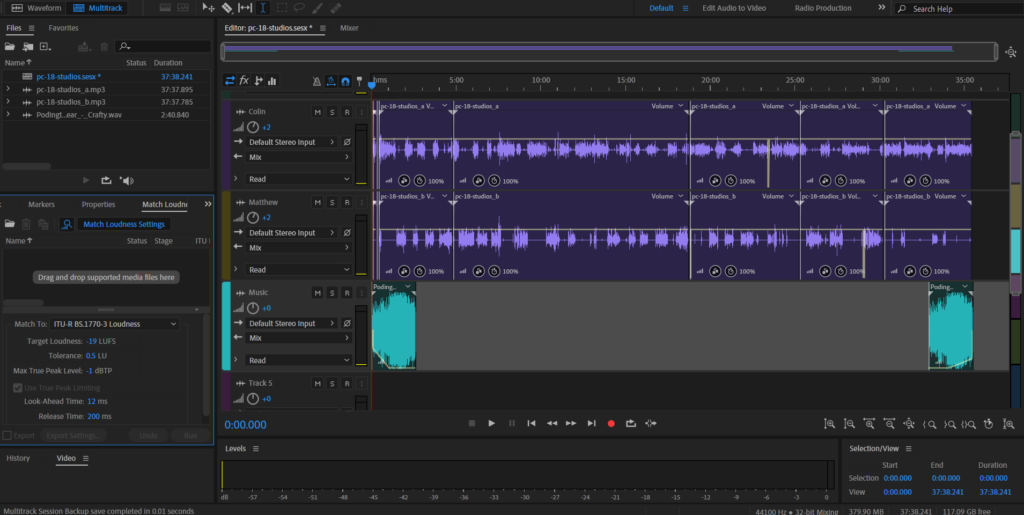
REAPER DAW Review: Powerful, Affordable, and Built for Serious Creators
Discover a complete REAPER DAW review covering features, performance, pricing, pros and cons, and who it’s best for. Learn why REAPER is a powerful, affordable digital audio workstation for music production, mixing, and audio editing.


When it comes to digital audio workstations, flexibility and performance often come at a high price. REAPER breaks that expectation by delivering professional-grade tools in a lightweight, affordable package. Loved by engineers, producers, and podcasters alike, REAPER has built a reputation as one of the most powerful DAWs available—especially for users who value customization and efficiency.
What Is REAPER?
REAPER (Rapid Environment for Audio Production, Engineering, and Recording) is a cross-platform DAW available for Windows, macOS, and Linux. It supports audio recording, MIDI sequencing, editing, mixing, and mastering, all within a highly configurable environment.
Unlike many mainstream DAWs, REAPER focuses less on flashy visuals and more on workflow freedom and performance, making it a favorite among power users.
Pricing & Value
One of REAPER’s biggest strengths is its pricing model.
-
Fully functional 60-day free trial
-
Affordable discounted license for individuals
-
No feature limitations after purchase
-
Frequent updates included at no extra cost
Compared to other professional DAWs, REAPER offers exceptional value, especially for independent musicians and small studios.
Key Features & Strengths
1. Extreme Customization
REAPER is one of the most customizable DAWs ever made. Users can:
-
Create custom shortcuts and macros
-
Design personalized layouts and themes
-
Extend functionality using scripts and community tools
This flexibility allows REAPER to adapt to your workflow instead of forcing you into a fixed structure.
2. Lightweight and Fast Performance
REAPER is known for its small installation size, fast loading times, and low CPU usage. It runs smoothly even on older or modest hardware, making it ideal for laptops and mobile setups.
3. Advanced Routing and Editing
REAPER excels in:
-
Multichannel routing
-
Complex signal chains
-
Detailed audio editing
-
Non-destructive workflows
This makes it especially popular for mixing engineers, sound designers, and post-production professionals.
4. Broad Plugin Support
REAPER supports most major plugin formats, including:
-
VST
-
VST3
-
AU
-
CLAP
Its built-in plugins may look simple, but they are efficient, transparent, and highly capable.
5. Stability and Active Development
REAPER is frequently praised for its stability. Crashes are rare, and updates are released regularly with meaningful improvements. The developer community is active, and user feedback often influences future updates.
Weaknesses & Limitations
Steep Learning Curve
REAPER’s flexibility can be intimidating for beginners. Out of the box, it requires some setup and learning to reach its full potential.
User Interface
The default interface feels functional but dated compared to more visually polished DAWs. However, this can be solved easily with custom themes.
MIDI Workflow
While powerful, REAPER’s MIDI tools are sometimes considered less intuitive than those found in DAWs like Ableton Live or Logic Pro, especially for beginners.
Who Should Use REAPER?
REAPER is ideal for:
-
Audio engineers and mixers
-
Podcasters and voice editors
-
Producers who want deep control
-
Users with low-spec systems
-
Anyone seeking maximum value for money
It may not be the best choice if you want a plug-and-play DAW with guided workflows and modern visuals from day one.
Final Verdict
REAPER is a professional, no-nonsense DAW that prioritizes power, efficiency, and user freedom. While it demands some learning and customization, the reward is a workflow that can be tailored precisely to your needs. For those willing to invest time rather than money, REAPER is one of the best DAWs available today.
What's Your Reaction?
 Like
0
Like
0
 Dislike
0
Dislike
0
 Love
0
Love
0
 Funny
0
Funny
0
 Angry
0
Angry
0
 Sad
0
Sad
0
 Wow
0
Wow
0